How to Convert a WooCommerce Store into a Native Shopping App Without Coding
Why You Should Convert Your WooCommerce Store into a Native Mobile App
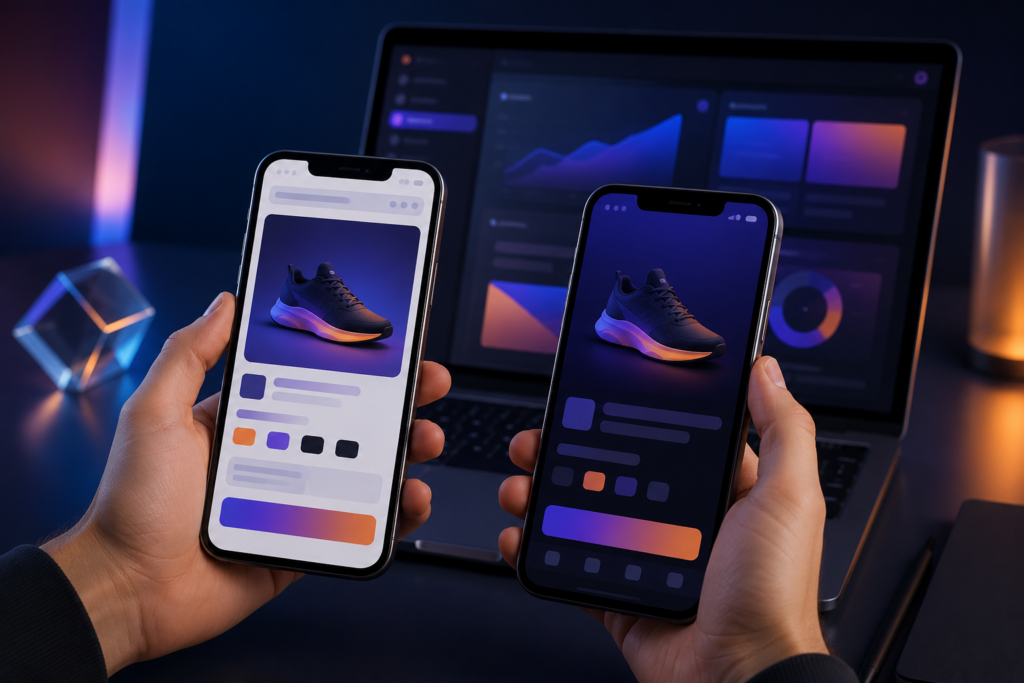
A mobile-optimized website is not the same as a native app. When a customer visits your WooCommerce store on a phone through a browser, they face friction: they must type the URL, wait for the page to load over a variable connection, and navigate through a responsive layout that never quite matches the feel of a dedicated interface. A native app eliminates that friction entirely. It sits on the home screen, opens with a tap, loads data from a local cache, and communicates with your server only when it needs fresh information.
The most tangible difference is push notifications. A browser can send notifications only while the tab is open, and on iOS, Safari requires explicit permission per visit and still cannot guarantee delivery. A native app uses system-level push channels that work even when the app is closed. That means you can alert a customer about an abandoned cart, a flash sale, or a shipped order without relying on them to keep your browser tab pinned. The difference in engagement between an email campaign and a push notification is not a small increment; it is a fundamentally different channel.
Offline access is another advantage that browsers cannot match. A Progressive Web App (PWA) can cache a few pages, but it cannot replicate the full shopping experience without an active connection. A native app can store product catalogs, user profiles, and even checkout logic locally. When connectivity returns, the app syncs the pending actions. This is critical for users in areas with unstable networks or for those who browse on subways and airplanes. The conversion rate on a native shopping app typically outperforms a mobile website by a wide margin, not because the code is magical, but because the user experience is unbroken.
What You Need Before Starting the Conversion
Before you connect any app builder to your WooCommerce store, the store itself must meet a few baseline requirements. These are not optional. Skipping them will produce errors that look like platform failures but are actually misconfigurations on your end.
- Self-hosted WooCommerce. WordPress.com hosted sites do not allow the REST API access required by external app builders. You need a self-hosted WordPress installation with the WooCommerce plugin installed and active. Shared hosting is fine as long as the server responds reliably to API calls.
- Updated WooCommerce and WordPress. The REST API endpoints change between major versions. If your WooCommerce version is older than 5.0, some endpoints used by app builders may return unexpected data or be deprecated entirely. Update both WordPress core and WooCommerce to the latest stable releases before starting.
- Clean product data. Every product should have a title, description, price, stock status, and at least one image. Products with missing fields may not appear correctly in the app. Categories should be organized logically because the app will mirror the category tree from your store. If your category structure is a mess of orphaned terms, the app will inherit that mess.
- SSL certificate. The REST API requires HTTPS. A valid SSL certificate is mandatory. Many app builders will reject a plain HTTP connection outright for security reasons. Most hosting providers include free Let’s Encrypt certificates; enable it if you have not done so.
- WooCommerce REST API enabled. Go to WooCommerce > Settings > Advanced > REST API and generate a set of consumer key and consumer secret. The app builder will use these credentials to authenticate requests. The key should have read/write permissions if you want the app to update orders or stock; read-only is sufficient for a catalog-only app.
- Apple and Google developer accounts. To publish on the App Store, you need an Apple Developer Program membership ($99 per year). For Google Play, you pay a one-time $25 fee. Without these accounts, your app will never leave your test device. AppCreator’s MiTienda template assumes you have these ready, but it does not generate them for you.
Can You Really Turn WooCommerce into an App Without Coding?
Yes, but the phrase “without coding” has a specific meaning here. You are not writing Swift, Kotlin, or Java. You are not compiling Xcode projects or configuring Gradle files manually. Instead, you use a visual builder that connects to your WooCommerce store through its REST API, pulls your products, categories, and user data, and generates the native code for you in the background.
The technology works like this: the no-code platform hosts a web-based interface where you select a template, enter your store URL and API credentials, and customize colors, fonts, and layouts with a drag-and-drop editor. Behind the scenes, the platform uses your credentials to fetch live data from your store, maps it to native components (like UICollectionView on iOS and RecyclerView on Android), and compiles two separate binaries: an .ipa file for iOS and an .aab file for Android. The compiled app communicates with your WooCommerce server directly through the same REST API. There is no middleware, no proxy, and no third-party server that intercepts your customer data. Once you publish the app, it talks directly to your WordPress installation.
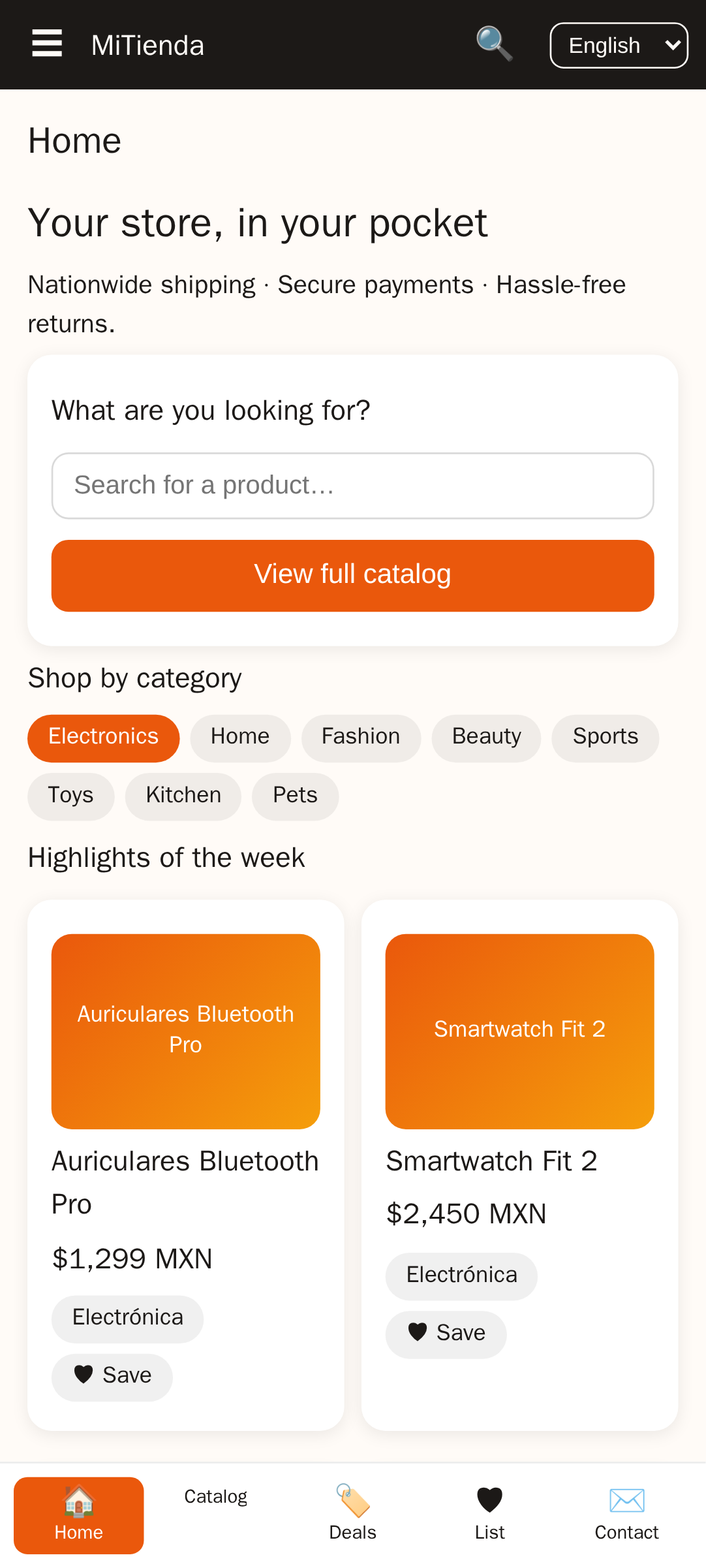
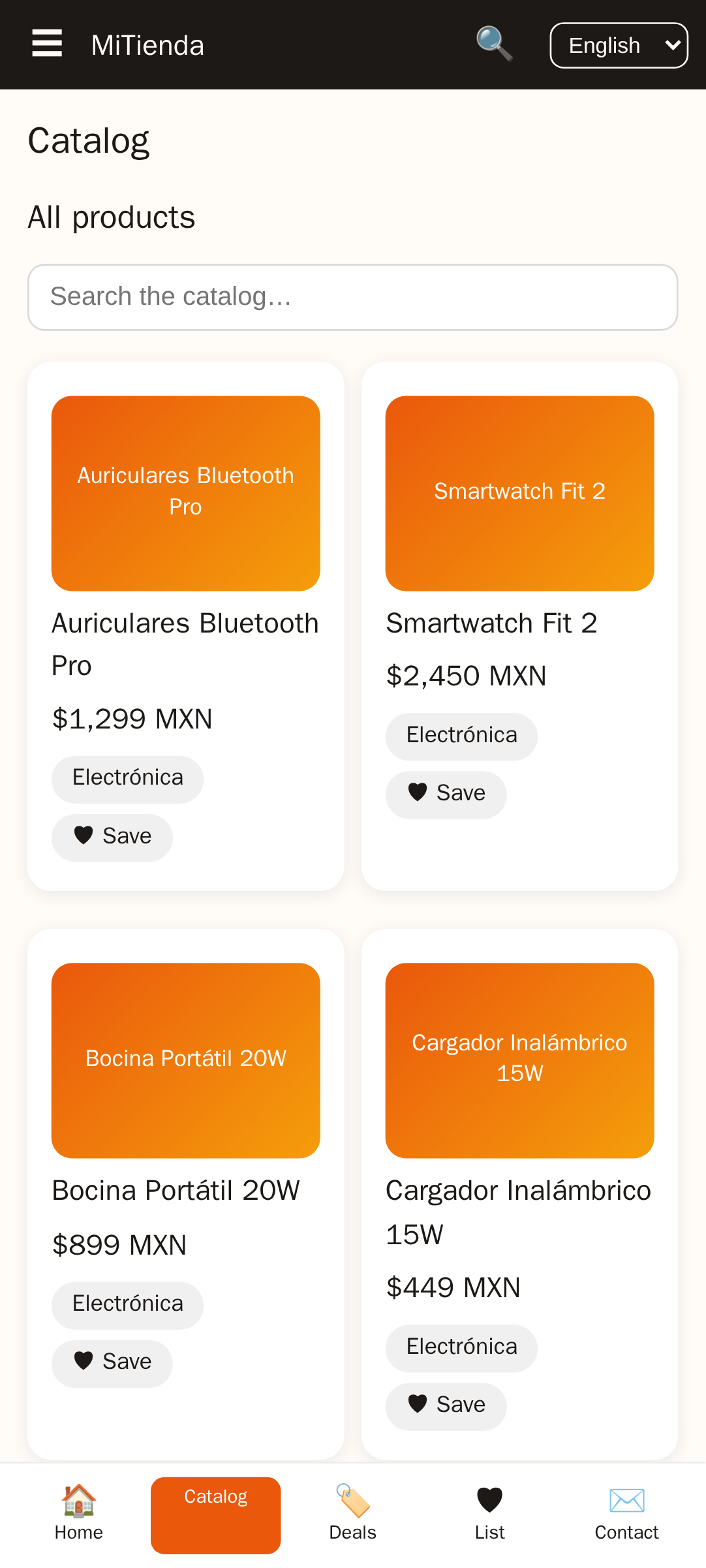
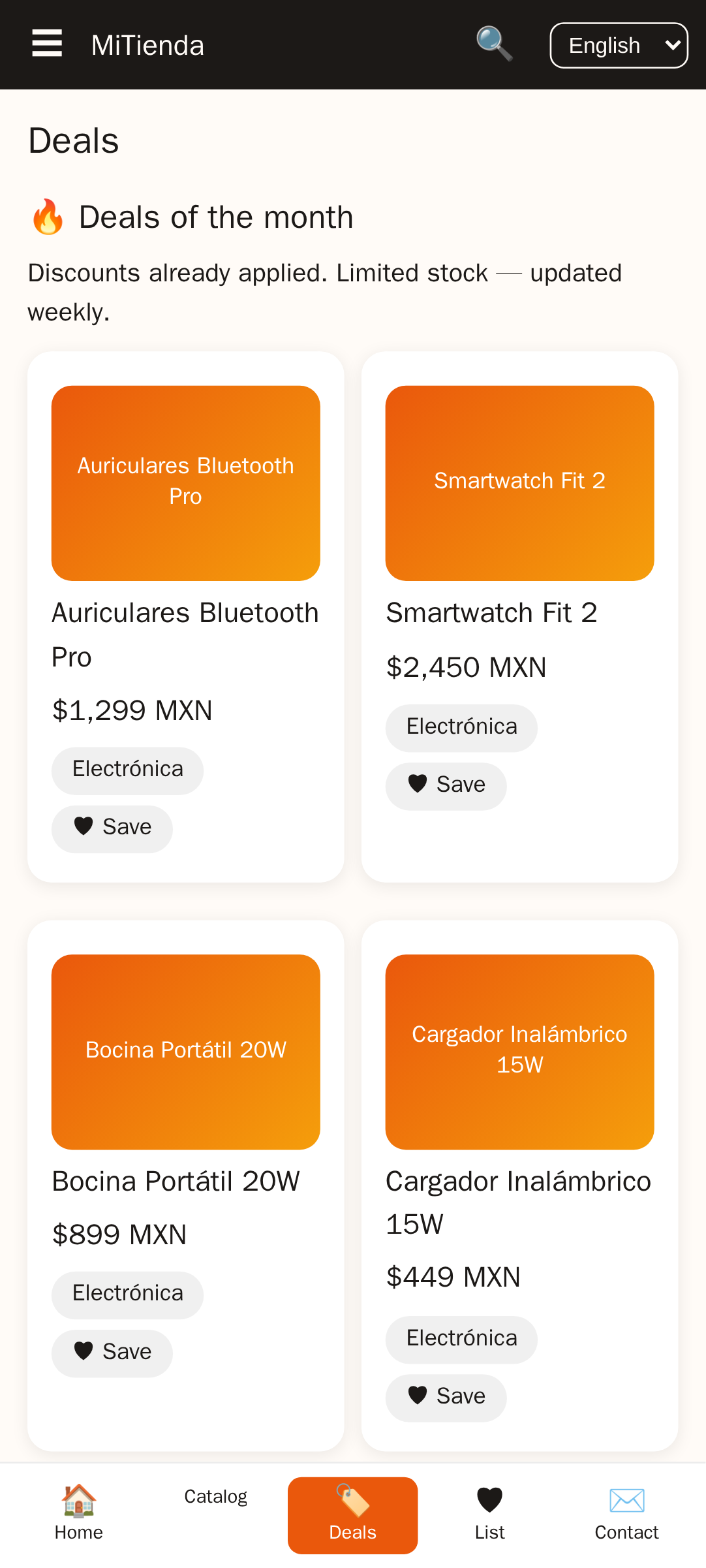
AppCreator’s MiTienda template is an example of a pre-built ecommerce template designed specifically for this workflow. It includes common screens: product grid, product detail page, cart, checkout, user profile, and order history. You can customize the color scheme and logo without touching a line of code. The template assumes you have a WooCommerce store with standard fields, and it maps each screen to the corresponding API endpoint automatically.
Step-by-Step: How to Convert WooCommerce to a Native Shopping App
The following procedure works for any no-code builder that supports WooCommerce integration. The exact button labels may vary, but the sequence is consistent across platforms.
- Sign up for a no-code app builder. Choose a platform that offers a WooCommerce integration and an ecommerce template. AppCreator’s MiTienda plan is one option. Create an account and start a new project.
- Select the ecommerce template. From the template library, pick the one that resembles a shopping app. MiTienda comes with product listing, search, cart, and checkout screens pre-configured. You can modify them later, but starting with a template saves hours.
- Connect your WooCommerce store via API. Locate the integration settings inside the builder. Enter your store URL (e.g., https://yourstore.com) and the consumer key and secret you generated in WooCommerce. The platform will test the connection and report errors immediately. Common errors: wrong key type, missing permissions, or HTTPS not enforced.
- Customize the design. Change the primary color, secondary color, font, and logo. Upload screenshots for the product pages. Adjust the layout of the product grid (number of columns, card style). These changes are visual only; they do not affect the data flow.
- Configure features. Enable or disable push notifications, user accounts, guest checkout, and social login. If you enable push notifications, you will need to upload Firebase Cloud Messaging credentials and APNs keys. This step is covered in detail in the push notification section below.
- Test on simulators. Most platforms provide a web-based simulator or a QR code that loads the app on your phone via a test version. Use this to navigate through every screen: search a product, add it to cart, proceed to checkout. Verify that the cart total matches the web store. Check that user login works by creating a test customer account.
- Generate app binaries. Once testing passes, trigger the build process. The platform will compile the native code into .ipa and .aab files. This can take anywhere from two to fifteen minutes depending on the complexity and the platform’s build queue. Download the binaries to your computer.
- Submit to app stores. Upload the .aab file to Google Play Console and the .ipa file to App Store Connect. Fill in the required metadata: app name, description, screenshots, privacy policy URL, and category. Submit for review. The entire process from sign-up to submission rarely exceeds six hours, assuming no account issues or API errors.
The transformation is fast because you are not building from scratch. You are mapping existing data to a pre-built native structure. The heavy lifting—parsing API responses, mapping JSON to native views, handling memory management—is done by the builder.
Key Features Your WooCommerce Shopping App Should Have
A shopping app that merely displays products is not enough to compete with native-first competitors. The following features are considered baseline for a credible shopping experience. Each feature syncs with your WooCommerce backend via the REST API.
| Feature | How It Works | Sync Method |
|---|---|---|
| Product catalog with search and filters | Displays products from WooCommerce categories. Search queries the API endpoint /products?search=keyword. Filters use taxonomy attributes. | Real-time fetch on search; cached data for browse |
| Shopping cart and checkout | Local cart state sends a POST to /orders to create the order. Payment is handled via WooCommerce payment gateways (stripe, PayPal, or redirect). | Order created live; cart persisted locally until synced |
| User accounts and order history | Customers log in with WordPress credentials. The app uses JWT authentication or WooCommerce customer tokens to fetch orders via /orders?customer=id. | Real-time on login; cached order history for offline view |
| Push notifications | Abandoned cart reminders, order status updates (processing, shipped, delivered), promotional offers. Requires FCM and APNs setup. | Server-side triggers from WooCommerce hooks |
| Real-time inventory sync | Stock levels update automatically when a purchase is made on either the web or the app. Uses the /products/{id} endpoint to fetch current stock. | Real-time on product view; scheduled background sync every few minutes |
| Barcode scanner | Optional feature for physical stores. The app uses the device camera to scan EAN or UPC codes and searches WooCommerce by SKU. | Client-side only; no sync needed beyond product lookup |
| Loyalty program integration | Points or rewards can be managed via a WooCommerce plugin and exposed through custom API endpoints. The app displays points balance and redemption options. | Depends on the loyalty plugin |
The most frequently overlooked feature is the checkout flow. On the web, a customer can close a browser tab and return to the same cart via cookies. On a mobile app, if the checkout screen crashes or behaves unexpectedly, the user has no tab to restore. Test the checkout flow on both Android and iOS with real payment sandbox accounts before submitting to the stores.
How to Add Push Notifications to Your WooCommerce App
Push notifications are the single most cited reason for building a native app over a PWA. The technical setup involves two external services: Firebase Cloud Messaging (FCM) for Android and the Apple Push Notification Service (APNs) for iOS. A no-code builder handles the client-side registration and token management. Your job is to provide the credentials from the developer consoles.
For FCM, create a Firebase project, enable Cloud Messaging, and download the google-services.json file. Upload that file to your app builder. For APNs, generate a push notification key (not certificate) in the Apple Developer Portal, download the .p8 file, and upload it along with your Team ID and Key ID. The builder injects these into the native project configuration.
Once the credentials are in place, you need to decide what triggers the notifications. Typical triggers include:
- Abandoned cart: Send a push one hour after a user adds items to the cart but does not complete checkout. The app builder can use a server-side cron job to check carts older than a threshold.
- Order status change: When WooCommerce transitions an order from “pending” to “processing” or “shipped,” a webhook fires. The builder can receive that webhook and relay it as a push to the customer.
- Back-in-stock alert: If a product was out of stock and the user subscribed to a notification, a trigger fires when stock becomes positive.
AppCreator’s MiTienda plan includes push notification infrastructure. You still need to supply the FCM and APNs credentials, but the builder handles the registration, token storage, and message routing. Without a no-code builder, you would need a dedicated push server and a developer to integrate the native push libraries on both platforms.
How to Sync WooCommerce Products and Inventory with the App
Every time the app opens or the user pulls to refresh, it requests data from your WooCommerce installation. The REST API endpoints used are standard: /wp-json/wc/v3/products for the product list, /wp-json/wc/v3/categories for categories, and /wp-json/wc/v3/orders for orders. The app builder typically caches the product list on the device to reduce load time, then checks for updates every few minutes in the background.
The critical question is what happens when both the web store and the app sell the same product concurrently. If a customer buys the last item on the web while another customer has it in the app cart, one of them will see an error at checkout. The standard solution is to check stock availability at the moment the order is placed, not when the product was added to the cart. The app sends a POST to /wp-json/wc/v3/orders with the product IDs, and WooCommerce runs the same stock validation as a web order. If stock is insufficient, WooCommerce returns an error, and the app displays a message. This atomic check prevents double-selling.
For scheduled sync, set a reasonable interval. Fetching the entire product catalog every thirty seconds on thousands of devices will overload a shared hosting server. Use a minimum of five minutes for background sync, and handle the response with a delta update—only update products that have changed since the last sync. Most no-code builders do this automatically by checking the date_modified field on each product. If your builder does not support delta sync, consider adding a caching layer or upgrading your hosting plan to handle the traffic.
Always test the sync with a staging store first. Create a few test products, modify prices and stock levels on the web, and verify that the app reflects the changes within the expected sync window. This test alone will catch 90% of integration problems, including authentication failures and endpoint errors.
How to Monetize Your WooCommerce Mobile App
Monetization options for a shopping app differ depending on what you sell. If you sell physical goods, the commission structure is straightforward: Apple and Google do not take a cut of physical product sales. You process payments through your existing WooCommerce gateway (Stripe, PayPal, or a direct bank transfer) and pay only the gateway’s transaction fee. The app is simply an alternative storefront.
If you sell digital goods or subscriptions, the rules change. Apple’s App Store Review Guidelines require that digital products sold within the app use In-App Purchase (IAP), and Apple takes a 30% commission. The same applies to Google Play (15% for the first $1 million of revenue). You can avoid this by selling digital goods through a web browser and directing users there, but that creates friction. Most app builders do not include IAP integration for digital goods because it complicates the WooCommerce sync. If your business model depends on digital subscriptions, consult with a developer before committing to a no-code solution.
Advertising is another channel. You can integrate AdMob or Facebook Audience Network to show banner ads, interstitial ads, or native ads within the product feed. The revenue per thousand impressions (eCPM) varies by region and ad format, but it is generally lower than direct sales margin. Ads work best as a secondary income stream for stores with high traffic and low average order value. AppCreator’s platform supports ad network integration, allowing you to place ads without modifying code.
Paid app download is rarely recommended for a shopping app. Customers expect a shopping app to be free. Charging for the download reduces installs dramatically and increases the chance of negative reviews. If you must charge, price it at $0.99 and communicate the value clearly in the description. The revenue from paid downloads is usually negligible compared to sales revenue.
Push notifications themselves are a monetization tool. A well-timed notification about a flash sale or a limited-time discount can produce a spike in orders that far exceeds the cost of the notification infrastructure. Use them sparingly and with clear value to avoid being marked as spam.
How to Publish Your WooCommerce App on the App Store and Google Play
Publishing is the final step, and it is the most procedural. The app builder generates the binary, but you must provide the store listing materials. Prepare the following before starting the submission:
- Screenshots: At least three for each device size (iPhone 6.5-inch, iPhone 5.5-inch, iPad, Android phone, Android tablet). Show the app running with real products, not placeholder text.
- App icon: 1024×1024 pixels, no transparency, PNG format. The icon should be recognizable at small sizes.
- Privacy policy: A web page hosted on your domain that explains what data the app collects (user accounts, order history, device tokens) and how it is used. The link must be accessible before the user registers. Apple rejects apps without a privacy policy URL in the metadata.
- App description: A clear, concise explanation of what the app does. Avoid keyword stuffing. Include supported languages if applicable.
For iOS: Enroll in the Apple Developer Program ($99/year). Log in to App Store Connect, create a new app, fill in the metadata, and upload the .ipa file using Xcode or Transporter. If you do not have a Mac, some no-code platforms offer a cloud upload service that submits the binary directly. Wait for review, which typically takes 24 to 48 hours. Common rejection reasons include placeholder content (replace all demo images with your real store data), broken links, and incomplete user flows.
For Android: Pay the one-time $25 registration fee in Google Play Console. Create a new app, fill in the store listing, and upload the .aab file. Google’s review is usually faster than Apple’s, often completing within a few hours. Android rejections are less common but can occur if the app crashes on startup or lacks minimum functionality.
Avoid the most frequent cause of rejection on both stores: using test credentials or placeholder products in the submitted binary. Ensure that the app you build points to your live store, not to a staging environment. If you want to test submissions, use a separate internal track (TestFlight for iOS, internal testing for Android).
How Much Does It Cost to Convert WooCommerce to an App?
The cost breaks down into four categories: the no-code builder subscription, the developer account fees, optional third-party services, and the opportunity cost of not hiring a developer.
| Cost Component | Typical Range | Notes |
|---|---|---|
| No-code builder subscription | $30–$100 per month | Includes template, API integration, push notification support, and app generation. Some platforms offer annual discounts. |
| Apple Developer Program | $99 per year | Mandatory for iOS publishing. One account covers unlimited apps. |
| Google Play Developer account | $25 one-time | Required for Android publishing. |
| Push notification third-party service | $0–$50 per month | Firebase Cloud Messaging is free. OneSignal offers a generous free tier. Paid plans add advanced segmentation. |
| Custom developer (alternative) | $10,000–$50,000 one-time | For a developer to build the same app from scratch using native technologies. Ongoing maintenance not included. |
The subscription model makes the no-code route predictable. You pay a monthly fee and get updates, bug fixes, and new features as part of the plan. If you stop paying, the app remains on the stores but will not receive updates, and the API integration will eventually break if WooCommerce or the platform changes its endpoints. The total first-year cost is roughly between $500 and $1,500, depending on the builder plan and whether you use a paid push service. Compare that to hiring a freelance developer, who will charge upward of $10,000 and take two to three months to deliver a comparable app.
Common Mistakes When Converting WooCommerce to a Mobile App
Most problems that arise during the conversion are not bugs in the app builder. They are mismatches between what the builder expects and what the store provides. The following mistakes appear repeatedly in support forums and feedback from store owners.
Not testing the API endpoints before connecting. Generate your consumer key and secret, then test the endpoints with a tool like Postman or cURL before entering them into the builder. If you get a 401 error, the credentials are wrong or the permissions are insufficient. If you get a 404, the URL structure is different from what the builder expects. Testing manually saves hours of debugging inside the builder’s interface.
Ignoring app store guidelines for digital goods. If your WooCommerce store sells digital downloads or subscriptions, the app must use Apple’s In-App Purchase for those transactions. WooCommerce payments processed through the app without IAP will be rejected by Apple’s review. You cannot work around this by linking to a web checkout. The only compliant solution is to either remove digital products from the app or implement IAP, which most no-code builders do not support. Plan your product strategy accordingly.
Poor image optimization causing slow load. Product images that are 4000 pixels wide and several megabytes in size will load slowly on a mobile connection. The app builder may resize images for display, but the initial API response size still affects load time. Use an image optimization plugin like Smush or ShortPixel on your store to compress images. WooCommerce’s REST API includes a srcset field, but not all builders use it.
Neglecting offline mode. A native app without offline fallback is essentially a slower website wrapped in a webview. Users expect to see products even when the signal is weak. If your app builder does not cache product data locally, consider switching to a platform that does. AppCreator’s MiTienda template includes local caching for product catalog and user session data.
Assuming no-code means zero maintenance. WooCommerce updates its API occasionally. Your app builder must update its integration to match. If you stop your subscription or the builder stops development, the API connection will break. Plan for an annual budget to keep the subscription active and monitor for any WooCommerce API changes that require a rebuild.
Should You Build a Native App or Stick with a PWA?
A Progressive Web App (PWA) is cheaper to build and maintain because it is essentially a website with a manifest file and a service worker. It can be installed on the home screen on Android, but on iOS, the experience is still Safari-based with limited push notification support (notifications were added in iOS 16.4 but require the user to add the PWA to the home screen and grant permission separately). PWA also cannot access device hardware like the camera for barcode scanning or the NFC chip for contactless payments.
Native apps, by contrast, have full access to the device’s capabilities. They can send push notifications reliably on both platforms, support barcode scanning for inventory management, integrate with Apple Pay and Google Pay, and work offline with a richer local storage model. The trade-off is the cost and the app store submission process. If your business depends on repeat purchases and customer retention, the native app’s engagement features justify the added expense. If you are a small store with a one-time purchase model and a tight budget, a PWA is a reasonable starting point that you can upgrade later.
The decision also depends on your customer base. Android users are more accustomed to PWAs, while iOS users expect native apps from brands they trust. If your traffic is evenly split, a native app that covers both platforms is the safer choice. AppCreator’s platform supports generating both a PWA and native binaries from the same WooCommerce integration, so you can start with a PWA and migrate to native when you are ready.
Ready to Convert Your WooCommerce Store into a Mobile App?
The process is reversible, meaning you can connect your store, test the app, and if it does not meet your expectations, you can stop without losing anything. The data stays on your WooCommerce installation. The native binaries are a presentation layer on top of your existing backend. You do not migrate data or lock into a proprietary system.
The most effective way to evaluate whether a native app will improve your store’s performance is to build a prototype and put it in front of real customers. A no-code platform like AppCreator, with its MiTienda template, allows you to go from store credentials to a testable app in less than an hour. You can customize the appearance, enable push notifications, and generate the binaries without writing a single line of code.
Start at www.appcreator.me and create a free account. Select the MiTienda template, enter your WooCommerce API credentials, and see your products rendered as a native shopping app within minutes. If you already have an idea of the features you need, the how-to-create-an-app-without-coding guide walks through the general workflow, and the comparison of app builders can help you decide if AppCreator fits your use case. Once the app is live and earning, the monetization section offers strategies to maximize revenue from your mobile audience. The only thing standing between your WooCommerce store and a native app is the decision to start.
Frequently asked questions
How to convert a WooCommerce store into a mobile app?
Use a no-code app builder like AppCreator. Sign up, choose an ecommerce template, connect your WooCommerce store via REST API, customize the design, configure features like push notifications, then generate native iOS and Android apps. The entire process takes hours, not weeks, and requires no programming.
Can I turn my WooCommerce store into a native app without coding?
Yes, no-code app builders eliminate the need for programming. They provide a visual interface where you connect your WooCommerce store, select features, and build native iOS and Android apps. Platforms like AppCreator offer pre-built ecommerce templates that sync products, orders, and customers automatically.
What is the best WooCommerce app builder for no-code?
No single builder works for everyone, but AppCreator is a strong option because of its dedicated ecommerce template called MiTienda. It offers push notifications, real-time inventory sync, and a straightforward setup. Evaluate based on features, pricing, and support on their trial before committing.
How much does it cost to convert WooCommerce to app?
Costs include a no-code builder subscription (typically $30-$100/month), plus Apple’s $99/year developer fee and Google Play’s $25 one-time fee. Some builders have free tiers or trials. Hiring a developer would cost thousands, so DIY no-code is significantly cheaper.
Does WooCommerce have a mobile app?
WooCommerce does not provide a native mobile app for storefronts out of the box. It offers a mobile app for store managers to manage orders and analytics. To get a customer-facing app, you need to build one using a no-code builder or custom development.
How to add push notifications to a WooCommerce app?
Push notifications are set up using Firebase Cloud Messaging (Android) and Apple Push Notification Service (iOS). No-code builders like AppCreator handle the integration—you only need to provide the server keys from Firebase and your Apple developer certificate. Typical notifications include order confirmations, shipping updates, and promotional offers.
How to publish a WooCommerce app on the App Store and Google Play?
Prepare app store assets: icons, screenshots, privacy policy, and a compelling description. For iOS, enroll in Apple Developer Program, upload your app via Xcode or App Store Connect, and submit for review. For Android, enroll in Google Play Console, build a signed APK/AAB, and submit. Many no-code builders generate the binaries; some even offer publishing assistance.
How to sync WooCommerce products with a mobile app?
Syncing uses WooCommerce’s REST API. The app builder makes API calls to endpoints like /products and /categories to fetch data. Real-time sync can be achieved with webhooks, but most builders sync on app launch or schedule intervals. Ensure your API keys have read/write permissions for products and orders.
What features should a WooCommerce shopping app have?
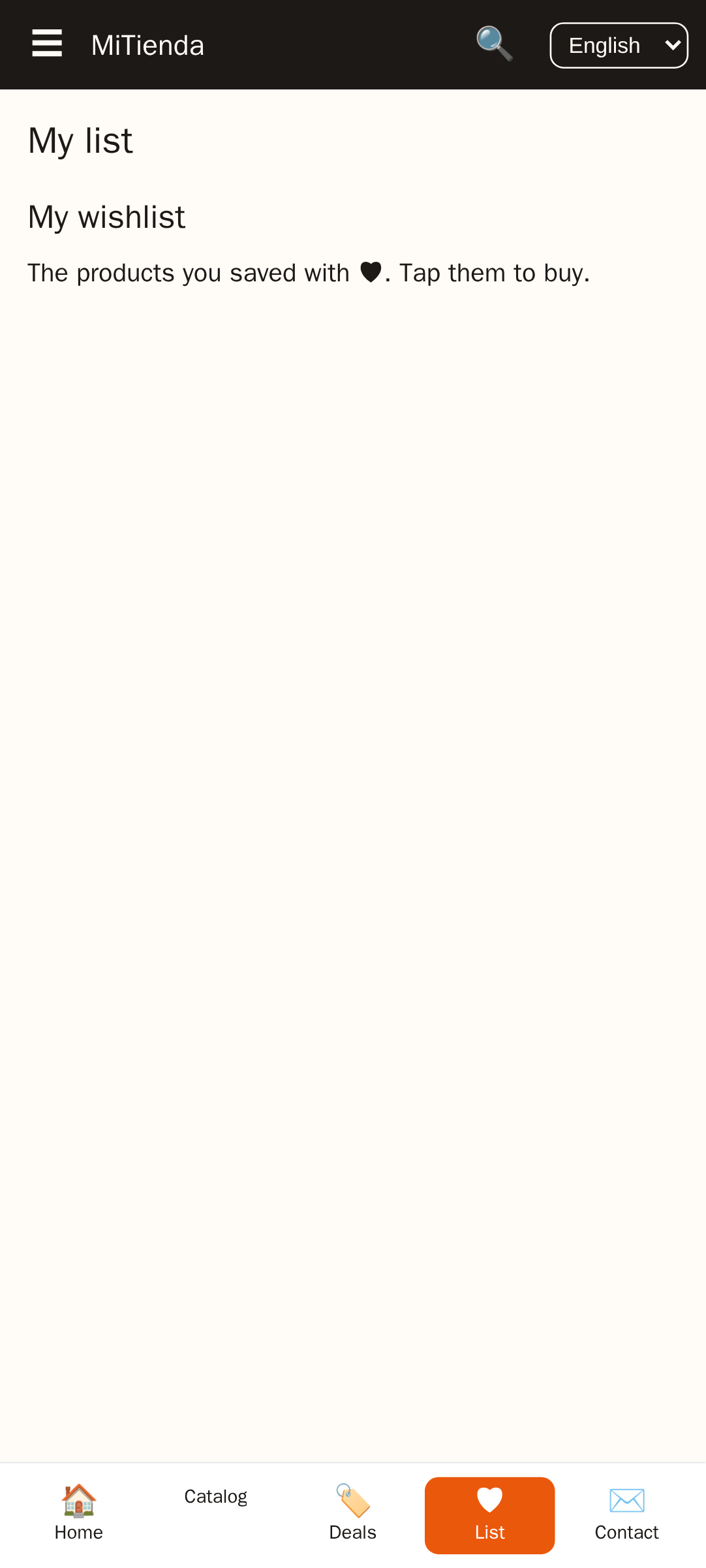
Essential features: product catalog with search and filters, shopping cart, checkout (integrated with WooCommerce payments), user accounts with order history, push notifications, and real-time inventory sync. Optional but valuable: barcode scanner, loyalty points, multi-language support, and wishlists.
How to monetize a WooCommerce app?
You can monetize by selling physical goods (standard WooCommerce checkout), adding in-app purchases for digital goods (note: Apple/Google take 30% commission on digital), displaying ads via AdMob, or charging for the app download. Push notifications can also drive direct sales by promoting discounts.