How to Build a Real Estate Property Listing App Without Coding
Why Go No-Code for a Real Estate App?
Real estate is a mobile-first business. Buyers and renters start their search on a phone, scroll through listings during a commute, and contact agents while standing in front of a property. If your listings are not in an app, you are invisible during that critical moment. Building a native app used to require hiring a developer team, waiting months, and spending tens of thousands of dollars. No-code platforms remove that bottleneck. You can build a real estate app without coding in days, test it with real users, and iterate based on feedback without writing a single line of Swift or Kotlin. The barrier to entry has dropped to a monthly subscription and a few hours of configuration.
No-code also means you stay in control. You are not dependent on a freelance developer who disappears halfway through the project or an agency that charges per change request. When a new iOS update breaks something, the platform handles the compatibility layer. When you want to add a mortgage calculator, you add a component. This speed and autonomy are what make the no-code approach viable for real estate agencies, independent agents, and property managers who need a digital presence without burning their budget on custom development. The question is no longer whether you can afford an app — it is whether you can afford not to have one.
What Is a Property Listing App and What Core Features Should It Have?
A property listing app lets users browse available properties, filter by their criteria, view details and photos, and get in touch with the listing agent or owner. It is essentially a mobile-optimized directory with location awareness and push capabilities. The core feature set is well established, and no-code builders provide pre-built components for most of it.
Essential features for a property listing app:
- Property search and filters — users need to search by location, price range, property type (apartment, house, condo, land), number of bedrooms and bathrooms, square footage, and listing status (for sale, for rent, pending). The filter interface must be fast and mobile-friendly.
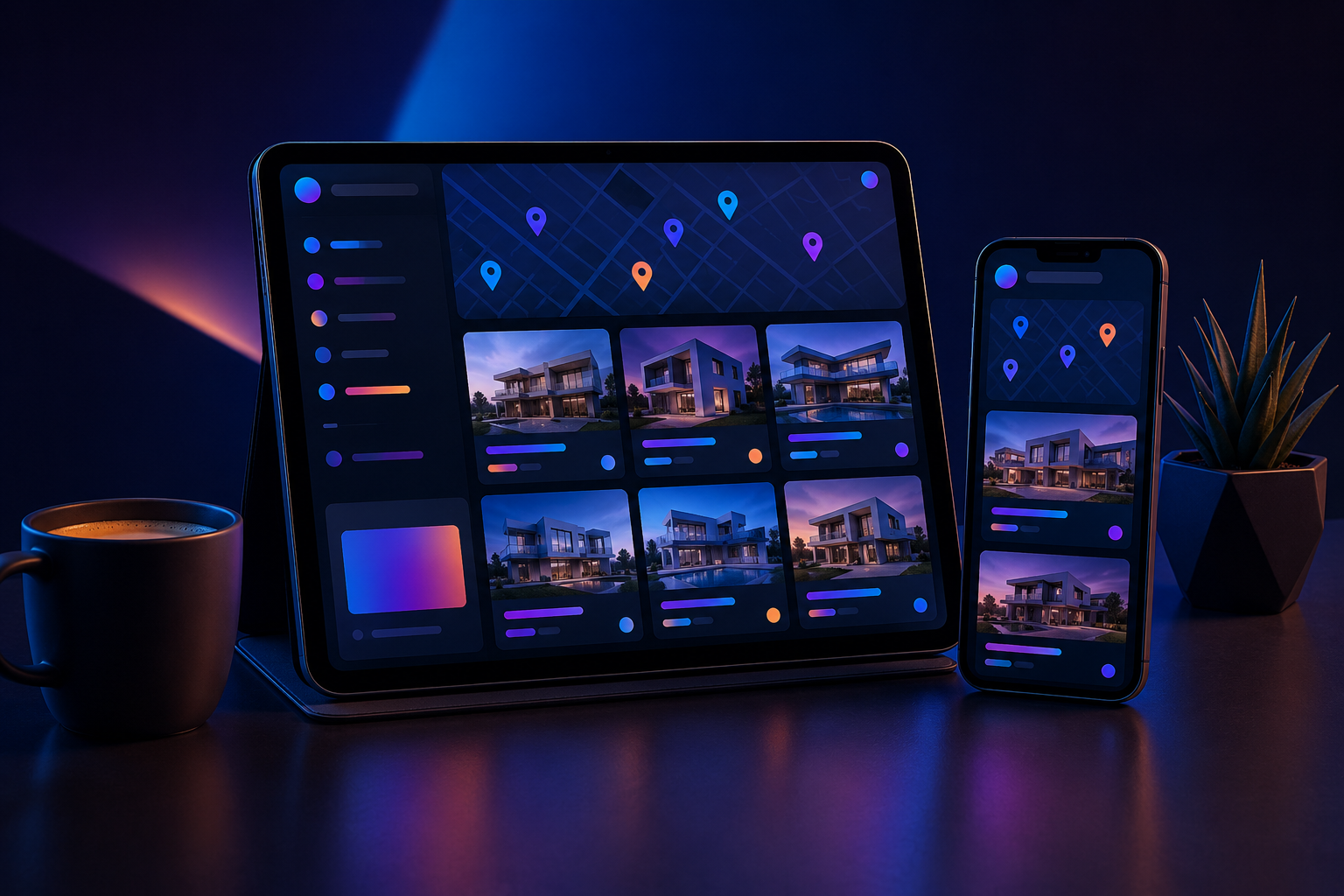
- Map integration — properties displayed on a map with pins, often color-coded by price or status. Tapping a pin shows a preview with the photo, price, and a link to the detail page.
- Image gallery — each property needs a swipeable gallery, ideally with pinch-to-zoom. This is the single most important visual element in real estate.
- Contact form or call-to-action — a button to call the agent, send an email, or submit a contact form directly from the app. Some apps include a built-in chat feature.
- Favorites and saved searches — users want to bookmark properties and save their search criteria so they can quickly return without entering filters again.
- Push notifications — alert users when a new property matching their saved search is listed, or when the price of a watched property drops. This is the main retention driver.
- User profile — basic account system to manage saved properties, saved searches, and notification preferences. Social login (Google, Apple) reduces friction.
Advanced features that differentiate your app:
- Mortgage calculator — estimate monthly payments based on price, down payment, interest rate, and loan term. Keeps users inside your app longer.
- Property comparison — side-by-side comparison of up to three properties with key metrics.
- Virtual tour or video walkthrough — embed YouTube or Vimeo walkthrough links directly in the listing detail.
- Neighborhood info — school ratings, crime stats, walkability score, nearby amenities. This can be pulled from third-party APIs.
- In-app scheduling — allow users to book a viewing directly through the app with calendar sync.
You do not need every advanced feature on day one. Start with the essential list, launch, and add features based on what your users actually request. No-code platforms make this iterative approach practical because adding a new screen or component takes hours, not weeks.
Can You Really Build a Real Estate Listing App Without Programming?
The skepticism is understandable. Real estate apps handle structured data (listings with dozens of fields), geolocation, image loading, and push notifications — all of which sound like backend work. But modern no-code app builders have evolved well past the drag-and-drop toy stage. Platforms like AppCreator offer a visual interface where you define data models (property fields), create screens that bind to that data, configure search and filter logic, and connect external services — all without writing code.
Real-time data synchronization is handled through a cloud backend that the platform provides or integrates with. When an agent adds a new listing in your CMS or spreadsheet, the app updates automatically. Push notifications are configured through a settings panel — you define the trigger (new listing in zip code 94102) and the message template, and the platform handles the APNs and FCM registration. Monetization modules for ads and in-app purchases are toggled on with checkboxes and configuration fields.
The path you choose also matters. You can start with a Progressive Web App (PWA) that runs in the browser and requires no app store approval, then convert that into native Android and iOS apps using the same platform. This phased approach lets you validate the concept with zero friction before investing in store submissions. Several no-code builders, including AppCreator, support this exact workflow. If you want to learn how to create an app without coding from scratch, the process is well documented and the required technical skill is basic computer literacy — no programming background needed.
Choosing the Right No-Code Platform for Your Real Estate App
Not all no-code platforms are built for data-heavy apps like real estate listings. Some are fine for simple content apps but struggle with advanced filtering, map integration, or dynamic data syncing. When evaluating a platform, consider these criteria:
| Criterion | Why It Matters |
|---|---|
| Real estate templates or components | Pre-built listing cards, map views, filter bars, and detail screens reduce build time from hours to minutes. |
| Data management | Can you define custom fields (price, bedrooms, lot size, listing date) and sync with an external database or CSV? |
| Push notifications | Native push for both iOS and Android with segmentation by user behavior or saved search criteria. |
| Map integration | Native map component that works offline and supports custom markers. |
| App store publishing support | Does the platform generate the required app binaries, icons, and metadata? Some generate only a PWA. |
| Monetization modules | Ad networks (AdMob, Meta Audience Network), in-app purchase configuration, and subscription management. |
| AI assistance | Some platforms include AI builders that can generate app structure from a text description. |
| Pricing and trial | A free trial or a low-cost starter plan lets you test before committing. |
AppCreator is one platform that covers all these areas, offering an AI builder that can scaffold a real estate app from a prompt, plus the ability to generate both PWA and native apps from the same project. But the best advice is to test at least two platforms with a sample of your own listing data before committing. Most offer a 7 to 14-day trial. Use that time to build a prototype with five properties and test it on your own phone. For a broader comparison, you can read a review of the best app builders that support real estate use cases.

Step-by-Step: Building Your Real Estate App Without Code
The following steps are general enough to apply across most no-code platforms, including AppCreator. Adapt the specifics based on your chosen builder.
- Sign up and choose a template or start blank. Most platforms offer a real estate category template with pre-built screens: a property list, a detail view, a search bar, and a contact form. If your platform includes an AI builder, you can describe your app (“I want a property listing app for apartments in Miami with map view and push notifications”) and let it generate the initial structure.
- Define your data model. Create a field for each property attribute: title, price, description, address, latitude/longitude, property type, bedrooms, bathrooms, square footage, images (multiple), listing status, agent name, and agent phone. Some platforms let you import this structure from a spreadsheet or a CSV file, which saves time if you already have a listing database in Excel or Google Sheets.
- Build the listing screens. Drag a list component onto the main screen and bind it to your property data source. Configure what information appears in each card (photo, price, address). Create a detail screen that opens when a user taps a card. Add an image gallery component to the detail screen and map the image field to it.
- Add map integration. Drop a map component onto the search screen. Configure the map to show pins for all properties in the current search results. When a user taps a pin, show a small info window with the listing photo and price, and a link to the detail screen.
- Configure search and filters. Add a search bar for text-based queries (address, listing title). Add filter toggles for price range (slider or min/max inputs), property type (checkboxes or dropdown), and bedrooms. Connect the filter outputs to a query that refreshes the list and map.
- Set up push notifications. Enable push notifications in the platform settings. Define a notification trigger: for example, when a new listing is added where the city equals “San Francisco” and the price is less than $500,000. The app will prompt users to allow notifications on first launch, and they can opt into specific alert categories.
- Add user accounts and favorites. Enable the built-in authentication module (email, Google, or Apple sign-in). Bind a “favorites” action to a button on each listing card. Save the favorited property IDs to the user profile so the list persists across sessions.
- Test on a real device. Use the platform’s preview app or generate a development build. Test every flow: search, filter, view gallery, favorite a property, contact an agent. Pay special attention to map performance and image loading speed.
- Iterate based on testing. Adjust the filter logic, reorder the detail screen fields, or change the notification copy. No-code iterations are fast because you are just editing properties in a visual editor, not recompiling and redeploying code.
Once your app passes the device test, you are ready to think about distribution. If you already have a web presence, the fastest route to a mobile app may be to wrap your existing site.
Converting an Existing Real Estate Website into a Mobile App
Many real estate agencies already have a website with property listings, search functionality, and a CMS. Rather than rebuilding everything from scratch, you can convert that website into a mobile app using a no-code builder. This approach is faster and preserves your existing SEO and content structure.
The process is straightforward: you build an app shell that contains a web view component pointing to your mobile-responsive website. The web view loads your site inside the app, giving users the experience of a native app while your website handles the content and logic. Then you layer on native features that your website cannot provide on its own: push notifications, offline caching, and home screen shortcuts.
Steps to convert a website to a real estate app:
- Create a new app project in your no-code builder and select the “Web View App” or “Convert Website to App” template.
- Enter your website URL. If you have separate mobile and desktop sites, use the mobile URL.
- Configure the navigation: add a bottom tab bar with buttons like Home, Search, Favorites (if your site supports a saved-listings page), and Contact.
- Set up push notifications. Even though the content is served from your website, the notification logic runs in the app shell. You can push alerts for new listings or price changes that link directly to the relevant page on your site.
- Enable offline mode if the platform supports it. Some builders cache the most recent pages so users can browse listings even without an internet connection.
- Test the web view on both iOS and Android. Ensure that all links open inside the app, not in a separate browser. Check that forms (contact requests, newsletter signups) work correctly.
AppCreator’s Convert Website to App feature follows this exact pattern, and it generates a native shell that wraps your site while adding push notification support and app store readiness. This is often the quickest path to a live app for agencies that already have a well-functioning website with responsive design.

Monetization Strategies for Your Real Estate App
A real estate app can generate revenue through multiple channels. The strategy you choose depends on your business model — whether you are an agency representing agents, a marketplace connecting buyers and sellers, or a free tool funded by advertising.
Display advertising. Google AdMob and Meta Audience Network are the most common ad networks for no-code apps. They support banner ads, interstitial ads (full-screen ads between screens), and native ads that match the look of your listing cards. Integrate the ad network SDK through your no-code platform’s monetization module. Most platforms, including AppCreator, provide a single toggle or configuration field to insert your ad unit IDs. Expect eCPM (earnings per thousand impressions) to vary significantly by region and user engagement — real estate audiences tend to have higher value than general audiences, but exact numbers depend on your market and ad placement strategy.
Featured listing fees. Charge agents or property owners a fee to have their listings appear first in search results, or to display a “Featured” badge on the listing card. This can be implemented as an in-app purchase or managed externally through your backend. The no-code platform handles the purchase flow and unlocks the feature on the user’s account.
Subscription tiers for agents. Offer a free tier for basic listings and a paid tier for premium features: unlimited listings, priority support, detailed analytics, or the ability to respond to buyer inquiries directly. Subscription management is built into most no-code platforms that support in-app purchases. On iOS, Apple takes a 30% cut for digital goods, including subscriptions. On Android, Google also takes a 30% cut for in-app purchases. For rental listings or physical services, you may be able to use alternative payment processors, but check the store guidelines carefully.
In-app purchases for premium features. Charge users for features like unlimited contact requests, advanced filters (e.g., school district or commute time), or detailed property reports. This works well as a one-time purchase or a consumable that users buy as needed.
Whichever monetization path you choose, test the payment flow on a sandbox account before submitting to the store. A broken purchase flow is one of the fastest ways to get rejected by app store reviewers. For a deeper dive on revenue models, the guide on how to make money with apps covers ad-based and subscription strategies with practical setup steps.
Publishing Your Real Estate App to the App Store and Google Play
Getting your app into the stores requires meeting each platform’s technical and content guidelines. No-code platforms simplify the technical side by generating the signed binaries, but you still need to provide the account, metadata, and compliance documentation.
Developer accounts: Apple charges $99 per year for the Apple Developer Program. Google charges a one-time fee of $25 for a Google Play Console account. Both require identity verification, so set these up early — Apple’s approval can take up to 48 hours.
App icon and screenshots: You need an icon at multiple resolutions (Apple specifies 1024×1024, Google requires 512×512 and 1024×1024). Screenshots for at least two device sizes per platform (iPhone 6.5-inch and 5.5-inch, Android 5.5-inch and 7-inch). Many no-code platforms provide a screenshot generator that takes screenshots from your app’s preview and formats them for each store.
Privacy policy: Both stores require a privacy policy URL linked from the app. Your policy must cover what data you collect (location, email, usage data), how you store it, and whether you share it with third parties. If you use push notifications, analytics, or ad networks, disclose those. Privacy policy generators are available, but have a lawyer review if you handle sensitive data like user location history.
Location permissions: Real estate apps commonly request location access to show nearby listings. You must provide a clear explanation in the permission prompt (called a “purpose string” on iOS) and in your privacy policy. Users are increasingly likely to deny location permission if the explanation is vague, so craft it carefully: “We use your location to show properties for sale near you.”
Review times: Apple’s review typically takes 24 to 48 hours, though it can extend to five days during busy periods. Google’s review is usually faster, often within a few hours, but listing apps with a large number of user-generated listings may trigger additional review. Plan for a one-week buffer between submission and your target launch date.
PWA alternative: A Progressive Web App bypasses the stores entirely. Users add your app to their home screen through the browser. The trade-off is lower discoverability and no access to some native APIs (like background location or advanced push notification scheduling). Many no-code platforms let you publish as a PWA first, then generate native apps for the stores later. This is a valid strategy for testing the market with minimal upfront cost.

Costs Involved in Building a No-Code Real Estate App
Custom development of a real estate app with property search, map integration, push notifications, and user accounts typically starts at $10,000 and can reach $50,000 or more depending on complexity and the developer’s rate. A no-code approach significantly reduces that number, but it is not zero.
Typical cost breakdown for a no-code real estate app:
- No-code platform subscription: Monthly fees for platforms that support data-driven apps with push notifications and map integration usually fall in the range of $20 to $100 per month. Some platforms offer a free tier with limited listings or branded splash screens. Annual plans often reduce the monthly cost by 15 to 25 percent.
- Apple Developer Program: $99 per year. Required to publish on the App Store. Non-negotiable.
- Google Play Console: $25 one-time fee. Non-negotiable.
- Custom domain or branding: Some no-code platforms charge extra for removing their branding from the splash screen or using a custom domain for the PWA version. This cost varies but is typically a one-time fee or an add-on to your subscription.
- Third-party services: If your no-code platform does not include push notifications in the base plan, third-party services like OneSignal have free tiers for up to 10,000 subscribers. Cloud database services like Firebase or Airtable offer free tiers with usage limits that work for small to medium listing volumes.
- App icon and screenshots: If you design them yourself, the cost is your time. Hiring a freelance designer for an icon and a set of screenshots typically costs $100 to $500.
The total first-year cost for a no-code real estate app, assuming a mid-tier platform subscription and no heavy third-party services, is roughly $500 to $1,500. That is a small fraction of the cost of custom development. The trade-off is that you work within the constraints of the platform’s components and cannot implement every custom feature. For most small to mid-size agencies, this is a practical trade-off that makes app ownership accessible.
Using AI to Accelerate Your Real Estate App Creation
Artificial intelligence has entered the no-code space in a practical way. Instead of replacing the builder, AI acts as an assistant that reduces manual setup time. Here is where it helps most in real estate app creation:
- Generating app structure from a description. Some platforms, including AppCreator, include an AI builder that takes a natural language prompt and produces a first draft of your app — screens, data fields, navigation, and sample content. You describe what you want (“a real estate app for condos in Austin with a map view, saved searches, and a contact form”), and the AI generates the project. You then refine it in the visual editor.
- Writing property descriptions. If you have listing data with raw fields (price, address, bedrooms, features), AI can generate human-readable property descriptions for each listing. This saves time if you manage a large inventory. The generated descriptions should always be reviewed — they occasionally invent details or sound robotic.
- Suggesting layout improvements. Some AI builders analyze your screen layout and recommend changes: “This list would benefit from larger images” or “Consider moving the price to the top of the card.” These suggestions are based on patterns from high-performing apps, not magic, but they can point out blind spots.
- Populating sample data. Testing a real estate app with real-looking data is essential. AI can generate realistic property names, addresses, prices, and descriptions so you can test the user interface without importing your actual data first.
The AI reduces the creation time from hours to minutes for the initial scaffold, but human oversight is required for data accuracy, design consistency, and compliance with store guidelines. Treat AI as a co-pilot, not an autopilot.
Maintenance and Updates: Keeping Your App Relevant
A real estate app requires ongoing attention, but no-code platforms shift most of the technical maintenance burden away from you. When Apple releases a new version of iOS, the platform updates its native wrapper and your app continues to work. When a push notification certificate expires, the platform handles the renewal process behind the scenes.
Your maintenance responsibilities are focused on content and feature updates:
- Content freshness: Outdated listings damage credibility. Sync your app with your database or feed so that sold or rented properties are removed automatically. If you manage listings manually, set a weekly reminder to review and clean up.
- Performance monitoring: Use the platform’s analytics or connect a service like Firebase Crashlytics to track crashes and slow screens. Real estate apps with heavy images can suffer from slow load times. Compress images and use lazy loading for galleries.
- OS and store changes: Apple and Google update their guidelines annually. Common changes include new privacy requirements (the Apple App Tracking Transparency framework) and updated design standards (material design updates on Android). No-code platforms usually update their components to comply, but you may need to adjust your app’s configuration or add new permission prompts.
- Feature updates: No-code platforms introduce new components over time. Review the update log quarterly. Adding a mortgage calculator or a virtual tour section might become a one-step addition with a new component release.
- A/B testing: Because changes in a no-code builder are applied instantly, you can test different layouts, filter arrangements, or call-to-action button colors more easily than in a custom app. Run a version of the app with a “Request Tour” button and another with a “Call Agent” button, and compare engagement metrics.
The low maintenance overhead is one of the strongest arguments for a no-code approach. You are not maintaining a codebase — you are maintaining content and configuration. That frees you to focus on the business side: acquiring listings, serving clients, and growing your reach.
Final Thoughts: Is No-Code Right for Your Real Estate Business?
No-code is not the right tool for every real estate tech project. If your app requires custom animation, complex offline sync with conflict resolution, or deep integration with a legacy CRM that has no REST API, a custom development team is still the safer choice. But for the vast majority of real estate use cases — listing browsing, search, contact, and notifications — no-code platforms deliver a production-ready app at a fraction of the cost and time.
The advantages are concrete: you can have an app in the store in a matter of weeks, not months. You can update it without going through a development queue. You can test new ideas by cloning your project and modifying it, rather than branching code. And if you decide to scale, you can always migrate to a custom-built app later, using the no-code version as a validated prototype that proves the business case.
Several real estate agencies and independent agents have already made this shift. They publish apps under their own brand, push new listings directly from their CMS, and monetize through featured listings or agent subscriptions — all without a developer on the payroll. The tools are mature enough that the gap between no-code and custom code for a listing app is closing every year.
The best next step is to try it without commitment. Sign up for a free trial on a no-code platform like www.appcreator.me, use the AI builder to generate a real estate app from a one-sentence description, load in five of your own listings, and test the result on your phone. That hands-on experience will tell you more than any article can about whether this approach fits your business.
Frequently asked questions
How to create a real estate app without coding?
Use a no-code app builder like AppCreator that offers pre-built templates and drag-and-drop interfaces. You can add property listings, maps, and search functionality without writing code. Generate native iOS and Android apps or a PWA.
Can I build a property listing app without programming?
Yes, modern no-code platforms allow you to create a full-featured property listing app with features like image galleries, filters, push notifications, and contact forms—all without programming knowledge.
What is the best no-code platform for real estate apps?
The best platform depends on your needs. AppCreator is a strong choice because it offers AI-assisted design, PWA and native app generation, and built-in monetization options. Evaluate based on ease of use and feature set.
How to convert my real estate website into a mobile app?
No-code platforms like AppCreator can wrap your existing website as a PWA or generate a native app shell. You add a web view component and then enrich it with native features like push notifications and offline access.
How to monetize a real estate property app?
Common methods include showing ads (AdMob), charging agents for featured listings, offering a subscription for premium features, and in-app purchases for extra contact requests. Ensure your platform supports these integrations.
Is it possible to build an app for real estate listings without coding?
Absolutely. No-code builders have matured to handle dynamic data, user authentication, and native device features. You can launch a professional property listing app without writing a single line of code.
What features should a real estate property listing app have?
Essential features: property search with filters (location, price, type), map view, high-res image galleries, favorites list, contact agent button, push notifications for new listings, and user profiles for saving searches.
How to publish a real estate app to App Store and Google Play?
After building with a no-code tool, export the project files or use the platform’s publishing service. You need developer accounts ($99/year for Apple, $25 one-time for Google), app icons, screenshots, and a privacy policy. The platform usually guides you through the process.
How much does it cost to build a real estate app without coding?
Costs include the no-code platform subscription (typically $10–$100/month), developer account fees, and optional services like cloud storage. Total initial investment can be under $500, far less than custom development.
Can I use AI to create a real estate app?
Yes, some no-code platforms integrate AI to help you generate app content, descriptions, images, and even structure. For instance, AppCreator’s AI builder can create an entire app from a text prompt, though you should review and customize it.