How to Build a Salon or Spa Booking App Without Coding
Why a Salon or Spa App Matters for Your Business
A salon or spa website is a digital business card. Customers find your address, browse services, maybe call to book. But a mobile app turns that passive listing into an active revenue channel. Push notifications remind clients about upcoming appointments, reduce no-shows, and let you broadcast last-minute openings. Offline access means customers can browse your service menu and check their booking history even when the salon wifi drops. Loyalty features — virtual punch cards, points per visit — encourage repeat business in a way that a website alone rarely does. Businesses that switch from a booking widget to a dedicated app often report a noticeable increase in repeat bookings and average order value, especially when clients can rebook with one tap after checkout.
A salon app also captures customer data that a website cannot: device tokens for push, purchase history tied to a profile, preferred stylist. With that data you can send personalized offers — “Your color treatment is due in two weeks” — and build a relationship that keeps clients coming back. The gap between a website-only model and an app-powered model is not about features; it is about frequency. An app lives on the home screen. A website sits in browser history. That difference drives real behavior change.
What Features Should a Salon Booking App Have?
Not every feature belongs in version one. Start with the core booking loop and expand from there. Here are the essential components, with reasoning:
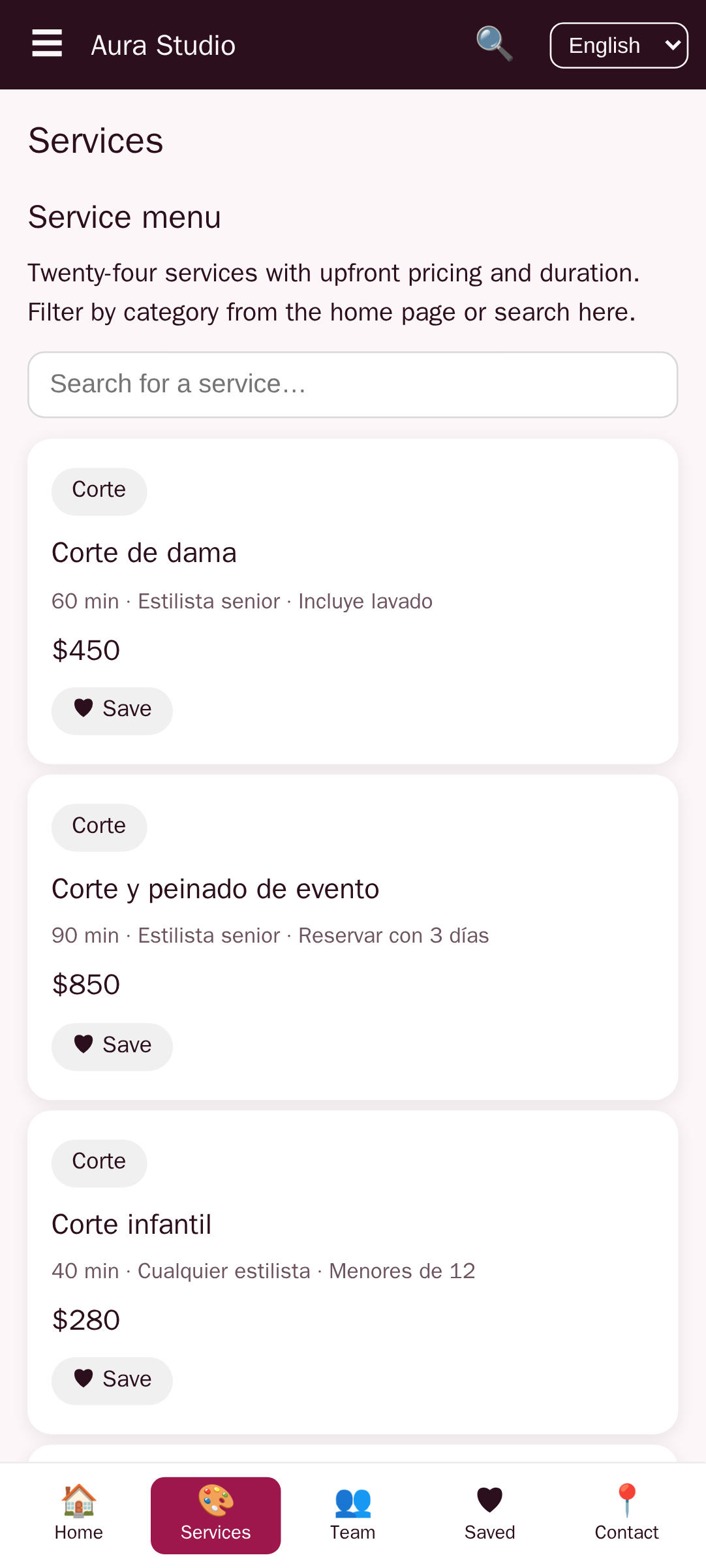
- Service catalog with duration and price: Every booking starts with a decision — what service, how long, how much. The catalog must be searchable and filterable by category (hair, nails, massage). A swipeable calendar view that shows available slots per service reduces friction.
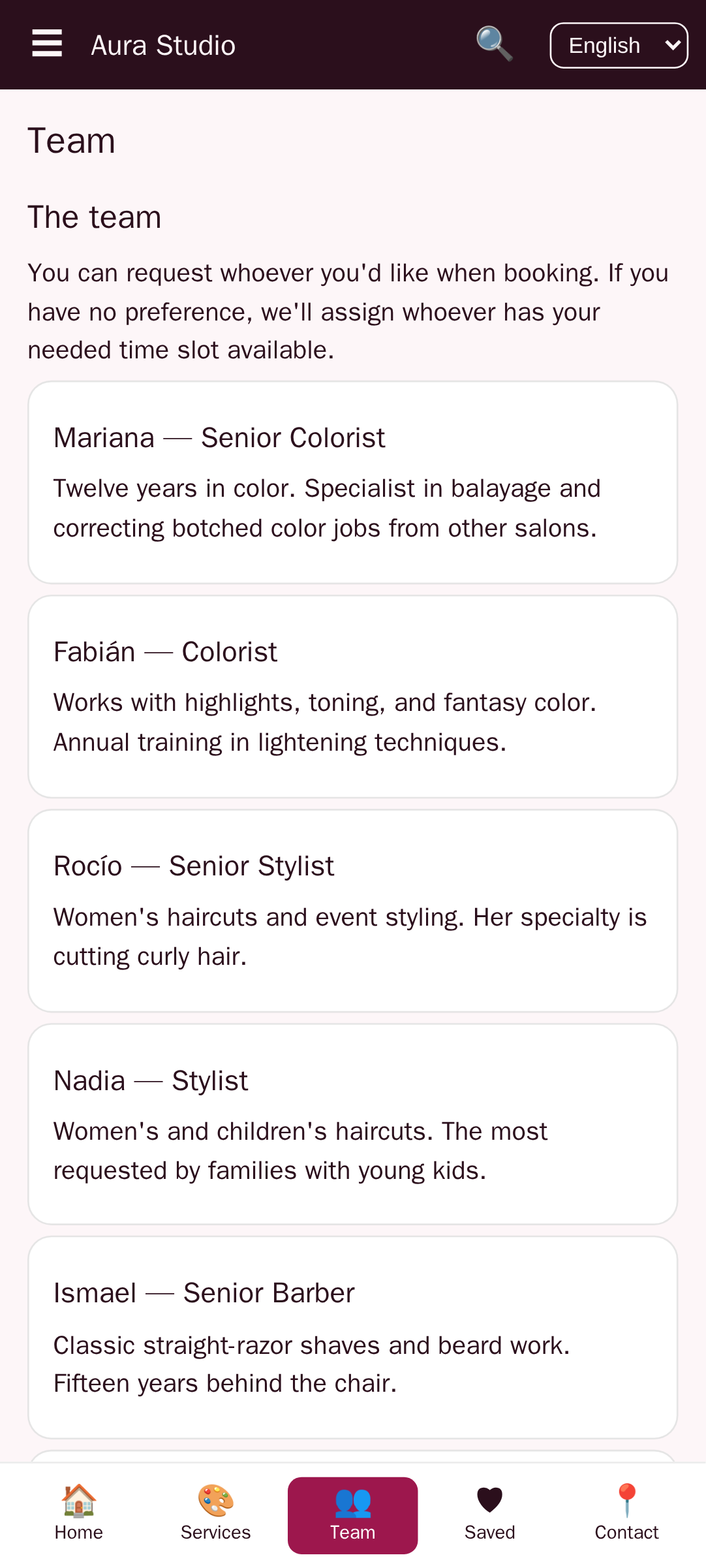
- Staff selection and bios: Clients often follow a specific stylist or therapist. Show staff photos, specialties, and a short bio. Allow users to filter availability by staff member. This builds trust and reduces cancellations caused by mismatched expectations.
- Real-time availability: The calendar must reflect actual openings pulled from your booking database. If two clients book the same slot, the system should block it instantly. No double-booking.
- Payment integration: Accept deposits to secure bookings or full payment upfront. Stripe, Square, and PayPal are standard. Apple Pay and Google Pay reduce checkout friction on mobile.
- Push reminders and confirmations: A booking confirmation push, a 24-hour reminder, and a “your stylist is ready” notification cut no-shows significantly. Many builders let you configure these with zero code.
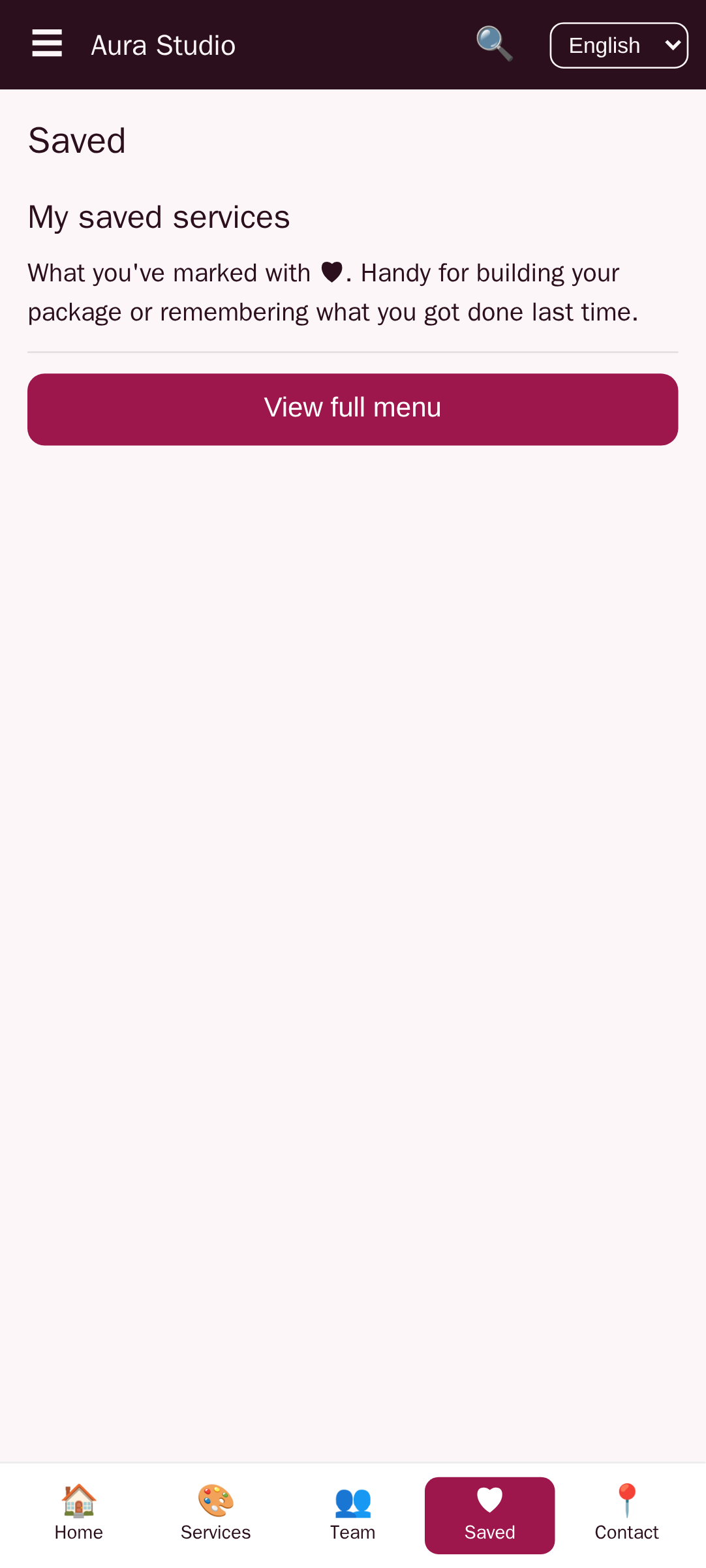
- Customer profiles: Store client notes (allergies, preferences, past services), visit history, and loyalty points. When a client books again, the app can pre-fill their preferred stylist and last service.
- Walk-in mode: Not all bookings are prescheduled. A simple “I’m here” button lets walk-in clients add themselves to a queue. The app sends a push when the stylist is available.
Do not try to build all of these in one sprint. A functional first version needs services, staff, calendar, reminders, and payment. Loyalty and walk-in mode can come in the next release.
Can You Build a Spa App Without Programming Skills?
Yes. The no-code movement has matured to the point where builders like AppCreator, Adalo, and Glide let you design native mobile apps using drag-and-drop editors and visual data tables. Some even accept natural language prompts — describe what you want and the AI generates the structure. You do not write JavaScript, Swift, or Kotlin. You configure.
The key difference from traditional development is how you handle data. In a coded app, you write SQL queries and API endpoints. In a no-code builder, you create data tables through a visual interface — define columns for service name, duration, price — and link screens to those tables with a few clicks. The builder generates the REST queries behind the scenes. For a salon app, this means you can set up a booking calendar with time slots, connect it to a payment gateway, and configure push notifications all through configuration panels, not code.
There are limits. Complex custom animations, heavy real-time synchronization across multiple locations, and deep integrations with legacy POS systems may require custom code. But for a single-location salon or a small spa chain, no-code covers 90% of the use case. And because you can publish to both iOS and Android (and optionally a PWA) from one project, the reach is identical to a coded app.
Choosing the Right No-Code Platform for Your Salon App
Not all no-code platforms handle appointment booking equally well. Some are general-purpose app builders that require you to assemble every piece from scratch. Others offer industry-specific templates that already include booking flows, staff management, and payment screens. When evaluating a platform, consider these criteria:
- Ease of setting up a booking calendar: Can you define time slots (e.g., 30-minute, 60-minute), set buffer times between appointments, and block holidays in a few clicks?
- Publishing depth: Does the platform export to both Apple App Store and Google Play? Is a PWA version included? Some builders only produce web apps that wrap in a native shell — check if push notifications and offline mode work on all targets.
- Monetization features: In-app purchases, subscription gates, ad placements. If you plan to charge stylists a monthly fee, the platform must support user roles and restricted access.
- Scalability: Can the builder handle 100+ bookings per day without slowdown? What about syncing across multiple devices (salon tablet and client phone simultaneously)?
Below is a rough comparison of three common approaches. Ranges are based on publicly available documentation and typical user experiences.
| Criterion | AppCreator (with Aura Studio template) | Adalo | Glide |
|---|---|---|---|
| Built-in booking template | Yes — Aura Studio includes service catalog, staff selection, availability calendar, payment | Marketplace templates exist but require adaptation | No native template; you build from scratch using Glide Tables |
| iOS + Android + PWA | All three, with separate APK/IPA for stores | iOS/Android web wraps; PWA optional | PWA by default; iOS/Android via Glide’s publishing service |
| Push notifications | Built-in with configurable triggers | Via Zapier or third-party integration | Integrated but requires custom logic |
| In-app payments (Stripe/Square) | Direct integration via payment section | Stripe plugin available; Square via Zapier | Stripe via Glide Payments (limited regions) |
| Learning curve for salon use | Low — template preconfigures data models | Medium — you must design data relationships | Medium-high — requires understanding of Glide’s column formulas |
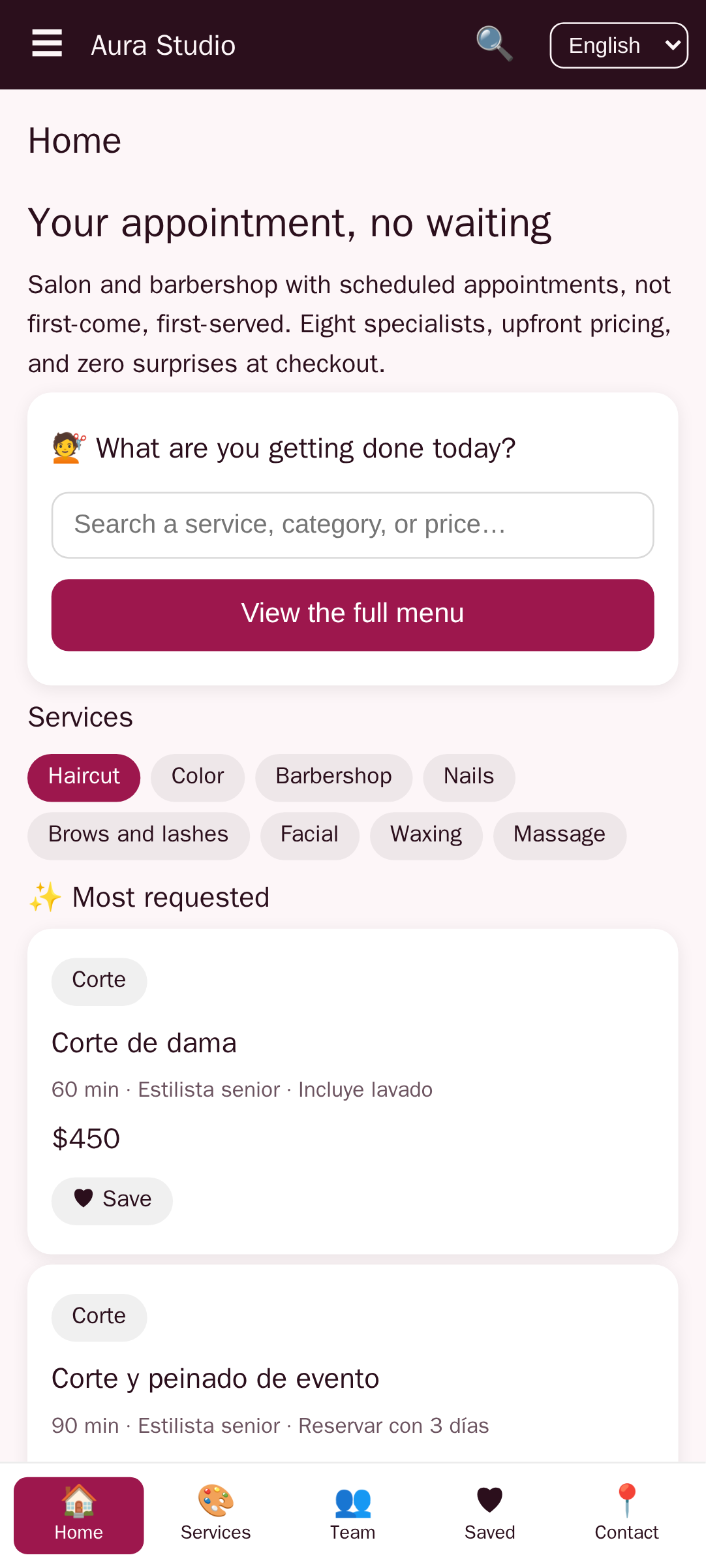
AppCreator’s Aura Studio template is worth examining because it ships with a pre-built booking flow designed for beauty professionals. The service catalog, staff selection, and payment gateway screens are already wired to a data model. You import your service list, upload staff photos, connect Stripe, and the core loop works. That can save several days of setup compared to starting from a blank canvas.
How to Convert Your Existing Salon Website Into a Mobile App
If your salon already has a website with a booking engine (via a plugin like Booksy, Vagaro, or WooCommerce Bookings), you can convert that website into a mobile app using a website-to-app converter. The process is straightforward: provide your website URL, and the builder wraps the mobile web pages into a native shell, then adds native features like push notifications, splash screen, and app icon. AppCreator’s converter tool handles this in a few steps.
What transfers automatically:
- Your existing content (service pages, staff bios, about section)
- The booking engine — as long as it works on mobile web, it works in the wrapper
- SEO metadata (for app store presence, not for web SEO)
What needs to be rebuilt or added separately:
- Push notifications — the website cannot send pushes. You must configure them inside the converter.
- Offline mode — web pages require internet. If you want clients to view their upcoming appointments without a connection, you need to cache specific screens.
- Native payment authentication — Apple Pay and Google Pay require integration within the wrapper, not the web view.
Limitations: if your website uses heavy JavaScript frameworks that do not render well in WebView, the app will feel sluggish. Also, some booking plugins block WebView traffic — test with a free account first. For clients who already have a strong website, this approach is the fastest path to an app MVP, often ready in a weekend.
Step-by-Step: Building a Salon Booking App With No Code
This guide assumes you have chosen a no-code builder with a booking template (like Aura Studio) or you are comfortable assembling components in a general-purpose builder. The steps are concrete and independent of any single platform.
- Define your services and staff — Create a data table (or import a CSV) with columns: service name, category, duration in minutes, price, description, and staff who perform it. Add a second table for staff with name, photo URL, bio, and active days/hours.
- Set up the booking calendar — Configure time slots based on the duration of each service. If a service is 60 minutes, the calendar should block 60 minutes plus a buffer (5-15 minutes for cleanup). Mark holidays and staff days off. Most builders let you do this through a visual schedule panel.
- Add a payment gateway — Connect Stripe or Square using the builder’s integration panel. Decide on the payment model: collect a deposit (e.g., 20%) at booking, charge full amount at booking, or pay later. Test a sandbox transaction end-to-end.
- Design the app UI from a template — Start with a template (like Aura Studio) that includes a home screen, service list, booking form, and confirmation screen. Customize colors, fonts, and images to match your salon brand. Replace placeholder images with high-quality photos of your space and staff.
- Configure notifications — Set triggers: send a push when a booking is confirmed, 24 hours before the appointment, and after the visit to request a review. Also configure an SMS fallback for time-sensitive reminders (push is not always reliable).
- Test with beta users — Invite 5-10 regular clients to install the app and book a real or test appointment. Watch for issues: confusing navigation, timezone mismatches, failed payments, missed notifications. Fix each problem before the public launch.
Each step has a concrete outcome. By the end of step 2, an appointment can be booked. By step 3, payment can be collected. By step 6, the app is ready for a soft launch.
Adding Payments and In-App Purchases
Payment integration is where many no-code learners get stuck. The reality is that builders handle the heavy lifting — you simply paste an API key from Stripe or Square and select a payment mode. For a salon app, three models are common:
- Pay later — The client books and receives an invoice after the service. Lowest friction but highest no-show risk.
- Pay now (full) — Charge the full amount at booking. No-shows become rare, but some clients hesitate.
- Deposit — Charge a percentage (e.g., 20% of the service price) at booking, collect the rest in person.
Beyond one-time payments, in-app purchases (IAP) can generate recurring revenue. You can sell VIP memberships — for a monthly fee, clients get priority booking, a free add-on per visit, or a discount. Or offer prepaid packages — buy 5 haircuts upfront and get one free. Both are implemented as IAP products in App Store and Google Play. Be aware that Apple and Google take a 15-30% cut of digital purchases. Rental or real-world services (like a haircut) are not subject to the full IAP fee if you use Stripe outside the app, but check the current guidelines — Apple’s rules change frequently.
No-code builders typically handle Apple Pay and Google Pay as simple toggles. Once enabled, the payment button appears on the checkout screen with minimal configuration.
How Long Does It Take to Create a Salon App Without Coding?
A realistic timeline for a first functional version is 2 to 4 weeks. That includes selecting a template, importing your data, customizing the design, connecting payments, testing, and preparing app store assets. If you already have a website with a booking engine and you use a converter, the timeline can shrink to 1 week. Factors that extend the timeline:
- Data import complexity — if your service list is messy or in paper format, cleaning it adds days.
- Design customization beyond the template — extensive color changes or custom fonts are quick, but creating entirely new screen layouts takes longer.
- Testing on real devices — especially for payment flows and push notifications across iOS and Android.
A custom-coded app with equivalent features typically takes 3 to 6 months and costs thousands of dollars. The no-code path is not a shortcut in quality; it is a shortcut in labor. Most solopreneurs and small salon owners can launch a working prototype in about three weeks if they focus on the core booking loop and postpone luxury features.
Publishing Your Salon App on Google Play and App Store
Publishing is the step where many no-code projects stall. The technical part — generating a signed APK or IPA — is handled by the builder. The administrative part is on you. Here is what you need:
- Developer accounts: Google Play requires a one-time $25 registration. Apple requires a $99/year membership. Both require identity verification. Apply early — Apple’s approval can take several days.
- App screenshots and preview video: Capture screenshots from the app simulator or a real device. Follow each store’s dimension guidelines. A 30-second video showing the booking flow helps conversion.
- Privacy policy: Even if you collect only email and appointment data, Apple and Google mandate a privacy policy URL. Use a free generator or copy your website’s policy and adapt it.
- Test accounts: Apple reviewers will try to book an appointment. Provide a test account (email/password) that can see available slots. Without it, they may reject the app as non-functional.
Common rejection reasons and how to avoid them:
- Placeholder text or images — Replace every “Lorem ipsum” and dummy person photo. Reviewers dislike unfinished apps.
- Broken booking flow — If the calendar shows no slots, or payment fails, the app will be rejected. Test on a clean device with no existing login.
- Missing login — If your app requires an account, ensure the registration flow works end-to-end.
Some no-code platforms offer a publishing concierge service where they submit the app on your behalf. That can save time if you are unfamiliar with store guidelines. AppCreator provides guidance and export files; you upload to the stores yourself or use a third-party service.
Monetizing Your Salon Appointment App
A salon app can generate revenue beyond bookings. Consider these models:
- Commission per booking — Charge a small fee (e.g., $1 per appointment) for using the app. This works well if you are a platform connecting multiple salons. For a single salon, it is redundant since you already earn from services.
- Subscription for stylists — If your app serves a multi-stylist studio, charge each stylist a monthly fee for access to the client management dashboard and analytics.
- Premium ad-free version — Offer a “VIP” tier that removes ads (if you use AdMob) and includes features like last-minute booking or free rescheduling. Ad revenue from AdMob or Meta Audience Network can supplement income, but too many ads hurt user retention.
- Partner promotions — Sell in-app banner space or push notification slots to local businesses (e.g., a nearby smoothie bar). Keep these relevant to salon clients.
For most single-location salons, the app itself is a marketing cost that pays for itself through increased booking volume and reduced no-shows. Direct monetization (subscription or ads) is optional. If you do add ads, place them on the confirmation screen or the settings page — never interrupt the booking flow.
If you want to explore revenue ideas further, read here.
Marketing Your New App to Get Downloads
Building the app is half the work. Getting clients to install it is the other half. Tactics that work for salon apps:
- QR codes in the salon — Place a small sign at the reception desk and in each treatment room. “Scan to book next time.” Use a dynamic QR that goes directly to the app store (or a landing page that detects the device).
- Social media stories — Post a short video showing how fast booking is in the app. Offer a 10% discount on the first in-app booking. Use a link sticker that goes to the store.
- Referral discounts — Give the referring client and the new client each a discount after the new client books through the app. No-code builders can track referrals via custom URL parameters or invite codes.
- Local SEO — Optimize your app store listing for searches like “salon app [city]”. Include your city and specialty (e.g., “Salon Booking – Hair & Nail App” for the title). Write a description with relevant keywords naturally.
App store optimization (ASO) matters because many users search directly in the store. Use your main keyword in the title, subtitle, and keyword field. In the description, include secondary terms like “no code salon booking app” and “spa appointment app” if they fit naturally. ASO takes a few weeks to show results, so start early.
Common Mistakes to Avoid When Building a No-Code Salon App
- Ignoring offline mode — Salons, especially in basements or older buildings, have spotty wifi. If your app requires internet to show the calendar, clients will get frustrated. Cache at least the service list and upcoming appointments. Most builders offer an offline toggle.
- Not testing timezone handling — A client might book from a different timezone while traveling. Ensure the app converts displayed times to the salon’s local time. Test by setting your phone to a different zone and booking a slot.
- Overcomplicating navigation — Salons serve a diverse age group. Keep the bottom tab bar simple: Home, Services, Book, Profile. Avoid nested menus that hide the booking button.
- Forgetting a walk-in option — Many clients still prefer to drop in. If your app only allows scheduled bookings, you miss that segment. Add a “Walk-in” button that lets them see current wait time and get notified when a stylist is free.
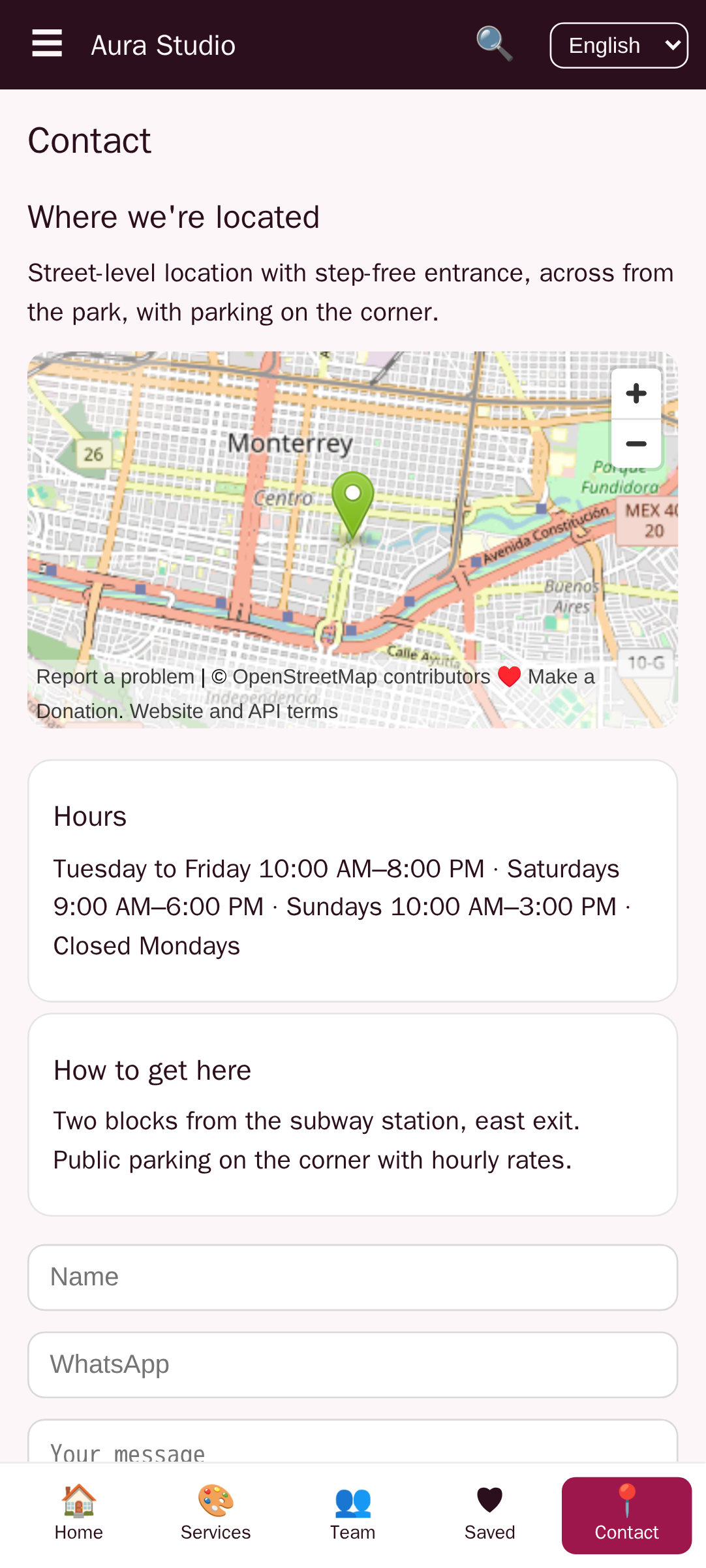
The Aura Studio template addresses several of these out of the box: it includes offline caching for the service list, a walk-in mode placeholder, and a straightforward navigation structure. Templates reduce the risk of architectural mistakes, but you still need to test under real conditions.
Maintaining and Updating Your App Post-Launch
An app is never finished. After launch, you will receive feature requests — gift cards, recurring packages, multi-location support. You will also need to fix bugs: a payment gateway update, a push notification delivery failure, or a calendar display issue on a new phone model. No-code builders simplify updates: you change the data or design in the builder, republish, and both stores receive the update simultaneously. No need to submit separate code changes for iOS and Android.
Neglecting updates is dangerous. If the app breaks after an iOS update (e.g., push notifications stop working), ratings drop quickly. Set a recurring reminder — once a month, test the full booking flow on both platforms. Also monitor app store reviews; they often contain the clearest bug reports.
For new features, prioritize based on what your clients request most. Gift cards are a common request that can be implemented as a new in-app purchase product. Multi-location support may require restructuring your data model; some no-code builders handle it natively, others require workarounds. Evaluate scalability before committing to a platform — if you plan to expand, choose a builder that supports location-based data filtering from the start.
If you are ready to move from planning to building, create a free app at www.appcreator.me and start with the Aura Studio template. Import your services, connect Stripe, and launch a working prototype in three weeks. The only way to validate whether an app drives repeat bookings is to put it in front of real clients. Start today.
Frequently asked questions
Can I build a salon booking app without coding?
Yes. No-code platforms and AI-assisted app builders let you create a fully functional salon booking app by dragging components and describing features in plain language. You launch on iOS, Android, and web without writing a single line of code.
What is the best no-code platform for a salon scheduling app?
The best platform depends on your needs – budget, required features, and desired control. Options include AppCreator (with its Aura Studio beauty template), Adalo, Glide, and Bubble. For most solopreneurs, a platform with a ready-made booking template reduces build time significantly.
How do I add online payments to a no-code salon app?
Integrate a payment gateway like Stripe, Square, or PayPal using visual connectors. Most no-code builders offer built-in payment components. You’ll set up a merchant account and connect it to your app for deposits, full payments, or subscription fees.
How long does it take to create a salon app without coding?
A basic version with core booking and payment features can be ready in 2-4 weeks, compared to 3-6 months with custom development. The timeline depends on how much data you need to import and how much you customize the design.
How do I publish a no-code salon app on Google Play and App Store?
You need a Google Play Developer account ($25 one-time) and an Apple Developer account ($99/year). Prepare screenshots, a privacy policy, and test accounts. Most no-code platforms guide you through the submission process or offer publishing assistance.
Can I monetize my salon appointment app?
Yes. Common methods include charging a booking fee per appointment, offering premium memberships with features like priority scheduling, or placing targeted ads from AdMob. In-app purchases for package deals are also effective.
Do I need a website to create a salon app?
No, but if you already have a salon website, you can convert it into a mobile app using a website-to-app converter. However, a dedicated app built from scratch (or from a template) often provides a better user experience with offline capabilities and push notifications.
What features should I include in a salon booking app?
Essential features: service catalog with pricing, staff selection, real-time availability, online payment, push notifications for reminders, and a customer profile with booking history. Optional additions: loyalty points, gift cards, and a ‘walk-in’ option.
Can I customize a pre-built template like Aura Studio for my salon?
Absolutely. Pre-built templates provide a functional starting point. You can customize colors, logos, service lists, and pricing without coding. The Aura Studio template is designed specifically for beauty professionals and includes booking flows, staff management, and payment integration.
What happens if my no-code platform goes out of business?
This is a real risk. Choose platforms that allow you to export your source code or have a long track record. Some no-code builders, like AppCreator, provide the generated app’s source code so you can migrate or host it independently.